

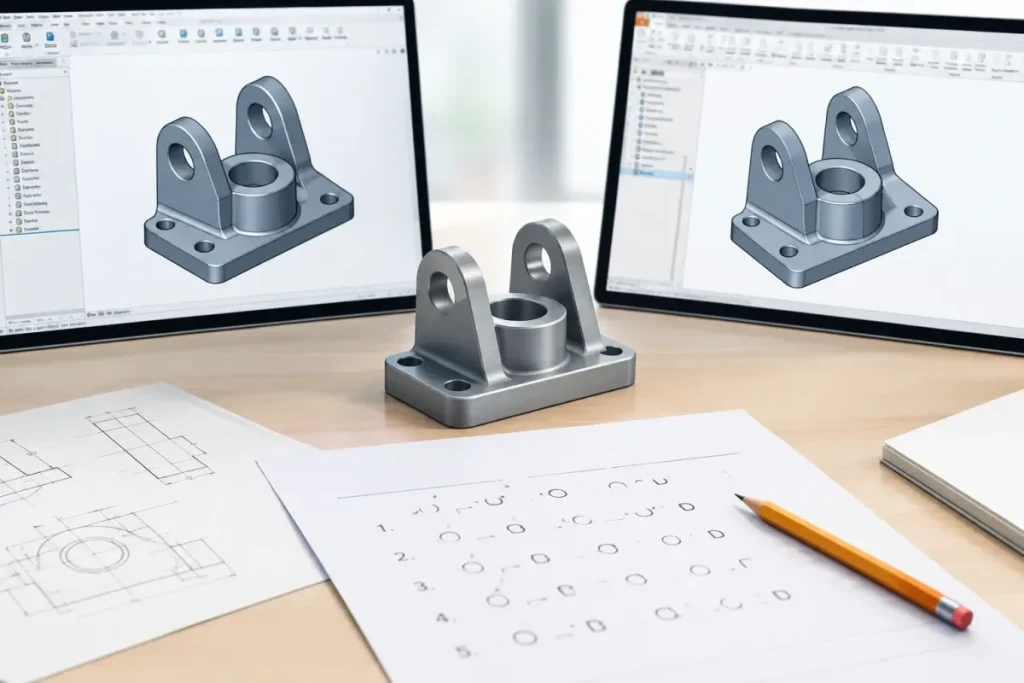

SolidWorks and Inventor look different, but the thinking behind them is the same: sketch, constrain, build features, assemble, document. This test uses both programs’ vocabulary so that you can check the concepts, whichever tool your employer uses.
This free test has 25 multiple-choice questions with an answer key that explains every answer.
The Short Answer
- 25 questions: 10 fundamentals, 10 intermediate, 5 applied.
- Covers both SolidWorks and Inventor terms.
- Take it without help, then check the answer key.
- It is a self-assessment, not a certification.
- Check the exact commands in your own version.
How This Test Works
- Take it without help. Use paper and a pencil for the calculations. Do not look up the answers.
- Write your answers down (for example, 1-B, 2-D) before you read the answer key.
- Check yourself against the answer key and read every explanation, including those for questions you got right.
- Score yourself with the bands below.
This is an informal self-assessment, not a certification, and employers’ tests differ. Software questions describe general behaviour. Menus and features vary by version, so check your employer’s version.
The Test (25 Questions)
Fundamentals (Questions 1 to 10)
File types, constraints and common concepts.
1. What is the file extension of a SolidWorks part?
- A. .sldasm
- B. .sldprt
- C. .ipt
- D. .dwg
2. What is the file extension of an Inventor assembly?
- A. .ipt
- B. .iam
- C. .idw
- D. .sldasm
3. What does a fully defined sketch mean?
- A. It has no entities
- B. Its geometry is completely constrained by dimensions and relations
- C. It is hidden
- D. It is on a plane
4. What is the purpose of mates in SolidWorks?
- A. To set colours
- B. To define the position and motion relationships between components
- C. To create drawings
- D. To name files
5. What is a configuration used for in SolidWorks?
- A. To export to PDF
- B. To create variations of a part or assembly in one file
- C. To store licences
- D. To name layers
6. What does K-factor affect in sheet metal?
- A. The paint colour
- B. The bend allowance and therefore the flat pattern
- C. The file size
- D. The drawing scale
7. What is a weldment?
- A. A type of fastener
- B. A structure made from structural members, such as frames, with cut lists
- C. A sheet metal feature
- D. A drawing view
8. What is top-down design?
- A. Designing the drawing first
- B. Designing parts in the context of the assembly
- C. Starting from the smallest part only
- D. Using only imported files
9. What is iLogic?
- A. A rendering engine
- B. Inventor’s rule-based automation tool
- C. A file format
- D. A drawing standard
10. Which formats are commonly used to exchange 3D solids between systems?
- A. JPEG and PNG
- B. STEP and IGES
- C. DOC and XLS
- D. MP3 and WAV
Intermediate (Questions 11 to 20)
Data management, tolerances and performance.
11. What does PDM manage?
- A. The rendering of images
- B. The plotter queue
- C. The spell-check
- D. Versions, access and release status of design data
12. In GD&T, what does a feature control frame specify?
- A. The paint colour
- B. The scale
- C. The title
- D. A geometric tolerance on a feature
13. Why use a design table or parameters?
- A. To rename files
- B. To lock the assembly
- C. To hide features
- D. To drive dimensions and variations from a controlled data set
14. A part rebuild fails after an edit. What is the best first step?
- A. Delete the whole part
- B. Restart the computer
- C. Change the units
- D. Check the feature tree for the first error and review its references
15. What is the benefit of mirroring or patterning a feature rather than redrawing it?
- A. Smaller screen
- B. Faster printing
- C. Different colours
- D. Consistency, and the features update together
16. What is a draft angle for?
- A. To change colour
- B. To add a bevel
- C. To reduce weight only
- D. To allow a moulded or cast part to release from the tool
17. A large assembly is slow. Which helps?
- A. Adding more mates
- B. Increasing the number of features
- C. Using more decorations
- D. Using lightweight or simplified modes and suppressing unneeded components
18. What does a section view show on a drawing?
- A. Only the outside
- B. Only the title
- C. The bill of materials
- D. The internal features of a part cut by a plane
19. What is a bill of materials (BOM)?
- A. A rendering
- B. A cost estimate only
- C. A sketch
- D. A list of the parts and quantities in an assembly
20. What is the best practice for naming parts?
- A. Use random names
- B. Use the date only
- C. Use your name only
- D. Follow a consistent, agreed part numbering and naming system
Applied (Questions 21 to 25)
Assemblies, sheet metal and drawings.
21. What is an exploded view used for?
- A. Showing stress
- B. Showing how an assembly goes together
- C. Showing the colours
- D. Saving file size
22. What is the advantage of a library of standard components?
- A. Larger files
- B. Consistency and time saving
- C. Fewer parts
- D. Lower quality
23. What does a flat pattern show?
- A. The assembly
- B. The sheet metal part unfolded
- C. A rendering
- D. A section
24. Why is an interference check useful?
- A. It renames files
- B. It finds components that overlap in space
- C. It changes materials
- D. It makes drawings
25. What is the best way to keep a drawing in step with a model?
- A. Draw it again
- B. Keep the drawing associated with the model so that changes update the views
- C. Use screenshots
- D. Use separate dimensions
Your Score
| Score | What it suggests |
|---|---|
| Under 50% | You have gaps in the fundamentals. Study the basics and retake the test in a few weeks |
| 50% to 69% | You know the basics but have gaps. Review the explanations for the ones you missed |
| 70% to 84% | Solid working knowledge. You are likely ready for most junior and mid-level tasks |
| 85% and above | Strong command. Prepare for harder practical tasks and interviews |
There are 25 questions, so each is worth a little less than 4.0% of the score.
Answer Key and Explanations
Fundamentals (Questions 1 to 10)
1. B. SolidWorks parts use .sldprt, assemblies .sldasm and drawings .slddrw.
2. B. Inventor parts are .ipt, assemblies .iam and drawings .idw or .dwg.
3. B. A fully defined sketch has no remaining degrees of freedom, which makes it stable.
4. B. Mates relate components in an assembly. Inventor uses constraints for the same purpose.
5. B. Configurations manage variants, such as different sizes. Inventor uses iParts or iAssemblies for similar needs.
6. B. K-factor describes where the neutral axis lies in a bend and is used to calculate the flat pattern.
7. B. Weldments are used for frames and structures built from profiles.
8. B. Top-down design lets parts reference the assembly so that they fit together.
9. B. iLogic lets you drive parameters and behaviours with rules.
10. B. STEP is the preferred neutral exchange format for 3D solids, and IGES is older.
Intermediate (Questions 11 to 20)
11. D. Product data management controls revisions and approvals.
12. D. Feature control frames state the type of tolerance, its value and its datum references.
13. D. Tables and parameters control variations consistently.
14. D. Errors often cascade, so start with the earliest failure.
15. D. Patterns and mirrors are linked to the original feature.
16. D. Draft helps parts release from moulds and dies.
17. D. Reducing the loaded detail improves performance.
18. D. Section views reveal internal geometry.
19. D. BOMs list the components and quantities for manufacturing and purchasing.
20. D. Consistent numbering supports PDM, BOMs and purchasing.
Applied (Questions 21 to 25)
21. B. Exploded views are used in assembly instructions and manuals.
22. B. Standard parts, such as fasteners, avoid redrawing.
23. B. Flat patterns are used to cut and form sheet metal parts.
24. B. Interference checks find fit problems before manufacturing.
25. B. Associative drawings update from the model, which reduces errors.
What to Do Next
- Review the interview guides for these tools in the interview section.
- Compare tools: SolidWorks vs Inventor vs Fusion: Which Gets You Hired in Canada?
- Read the career guide: Mechanical, Manufacturing and Product Design Careers in Canada: Jobs, Salaries, Software and Employers.
- Prepare a portfolio with CAD Portfolio Guide: Structure, Examples, Template and Checklist.
Frequently Asked Questions
Is the test specific to one program? It mixes SolidWorks and Inventor terms, because the concepts are similar.
Does it cover simulation? No.
Is GD&T covered in depth? Only at an introductory level.
Is it a certification? No. It is a self-assessment.
Sources
- No external sources. The test reflects the author’s professional experience as a CAD manager and trainer.
Questions and explanations are the author’s own, based on professional experience. Corrections are welcome.
Whichever tool you use, the habits are the same: constrain, organize and document.


